OverlaySync Pro
Overview
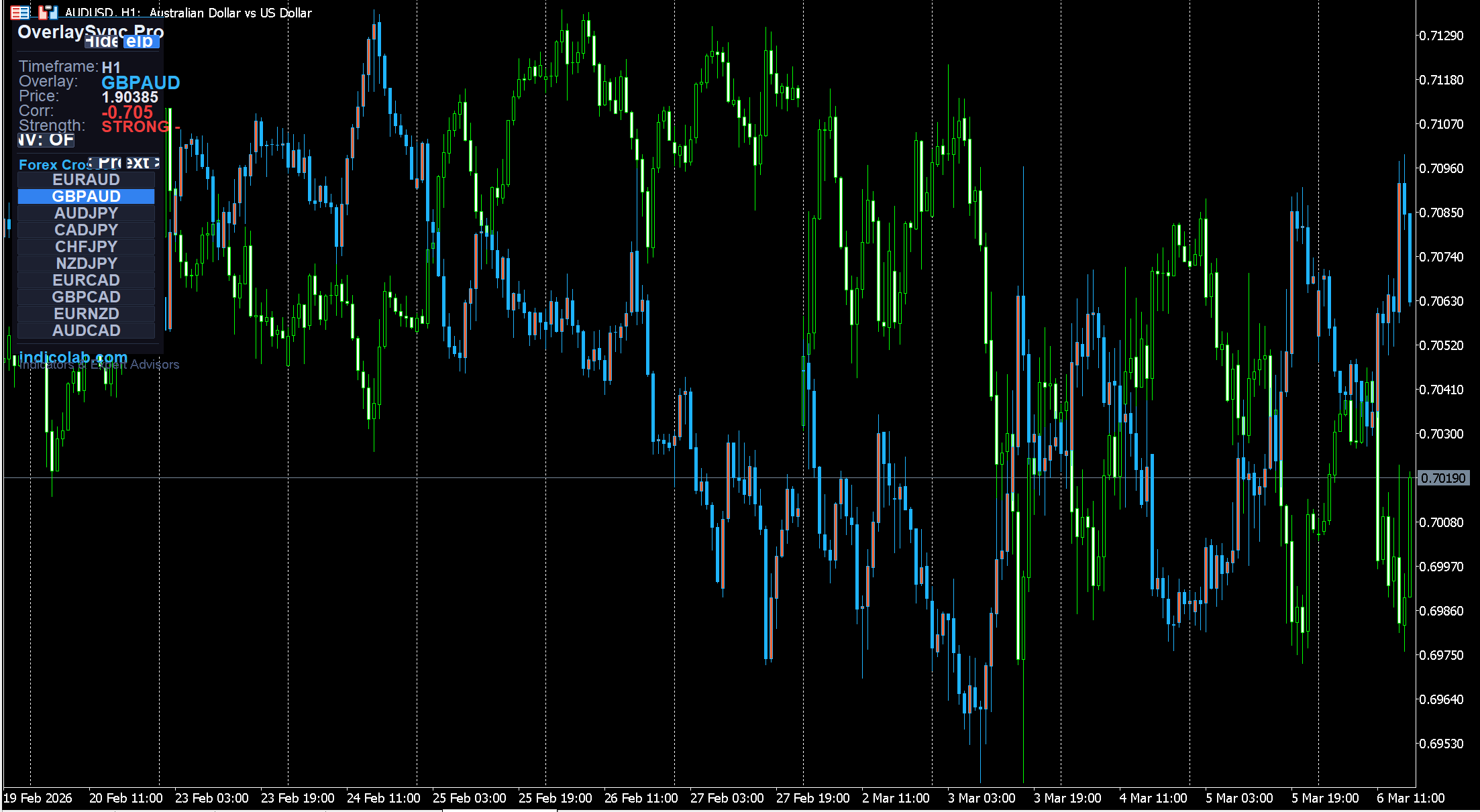
OverlaySync Pro lets you overlay any symbol's candles directly on your current chart with a single click. See how two instruments move together in real time — with automatic scaling, time synchronization, and Pearson correlation analysis.
Perfect for correlation trading, hedging analysis, and spotting divergences between related instruments.
One-Click Symbol Switching
The panel shows 30 instruments organized across 3 pages. Just click any symbol — the overlay switches instantly:
Page 1 — Forex Majors: EURUSD, GBPUSD, USDJPY, USDCHF, AUDUSD, NZDUSD, USDCAD, EURGBP, EURJPY, GBPJPY
Page 2 — Forex Crosses: EURAUD, GBPAUD, AUDJPY, CADJPY, CHFJPY, NZDJPY, EURCAD, GBPCAD, EURNZD, AUDCAD
Page 3 — Metals & Indices: GOLD, SILVER, BITCOIN, ETHEREUM, NASDAQ, S&P 500, DOW 30, OIL, DAX 40, FTSE 100
Navigate with [Next >>] and [<< Prev] buttons. Active symbol highlighted in blue. Unavailable symbols marked [N/A].
Smart Symbol Detection
Automatically detects your broker's naming convention. For each instrument it tries multiple name variants — for example, Gold is searched as: XAUUSD, GOLD, XAU — each with and without your broker's suffix. Works with virtually any broker.
Full Chart Coverage
The overlay covers the entire visible chart area. Candles are synchronized by time using exact bar matching, so the overlay always lines up correctly even when instruments have different trading hours.
Pearson Correlation
Real-time correlation coefficient calculated from price returns:
- +0.7 to +1.0 — STRONG positive (move together)
- +0.4 to +0.7 — MODERATE positive
- -0.4 to -0.7 — MODERATE negative
- -0.7 to -1.0 — STRONG negative (move opposite)
Invert Mode
Click [INV] to flip the overlay upside-down — useful for negatively correlated pairs.
Settings
| Parameter | Default | Description |
|---|---|---|
| OverlaySymbol | EURUSD | Initial overlay symbol |
| InvertOverlay | false | Flip overlay upside-down |
| BullColor | Blue | Bullish candle color |
| BearColor | Orange | Bearish candle color |
| BodyWidth | 3 | Candle body thickness |
| WickWidth | 1 | Candle wick thickness |
How to Install
- Download the .mq4 file (for MT4) or .mq5 file (for MT5)
- Copy to MQL4/Indicators or MQL5/Indicators folder
- Restart the terminal or refresh Navigator
- Drag onto any chart
- Click symbols on the panel to switch overlay
Compatibility
- MetaTrader 4 — full support, all timeframes
- MetaTrader 5 — full support, all timeframes
- 30 overlay instruments with smart broker name detection
- No external dependencies
Features
- One-click symbol switching — 30 instruments on 3 pages
- Full visible chart coverage with time-synchronized overlay
- Real-time Pearson correlation with color-coded strength
- Smart symbol resolver — works with any broker naming convention
- Invert mode for negatively correlated pair analysis
- Auto-scaling to match your chart's price range
- Blue/orange overlay candles with adjustable thickness
- Draggable panel with correlation statistics
- Built-in help guide with trading strategies
- No configuration needed — auto-detects broker suffix
Free Download
This indicator is free. To prevent unauthorized distribution, it is compiled individually for your MetaTrader 4 / MetaTrader 5 trading account. Register and provide your MT4/MT5 account number to receive a personalized file.